
Create a CV that
opens new doors.
Choose a fresh design, personalise every detail and download a professional PDF. Your experience deserves a modern CV.
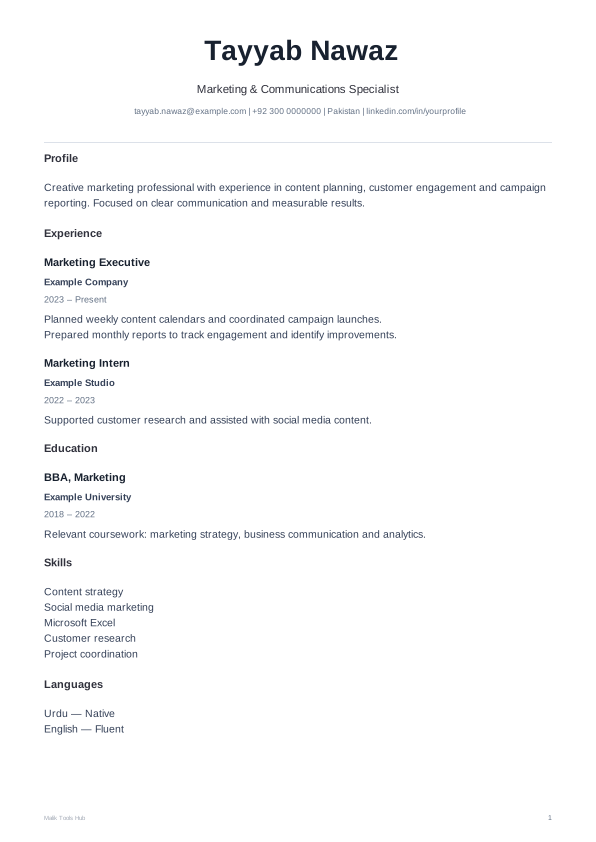
Find a design that feels like you
make it your own
60 free designs + 15 Plus previews. Modern layouts, your choice of colours.
Upgrade your old CV. Free.
Import a text-based PDF or Word CV, review the extracted details and choose a new design. Scanned PDFs need OCR and cannot be imported here.
Import provides a starting draft. Check the name, contact details and section mapping. Your original file is unchanged.
Choose your next CV design
Fonts, colours & alignment
Changes apply to the live CV and downloaded PDF. Template previews keep their original style.
Your details
For direct PDF download, use English or Roman Urdu. Other scripts can use Print / Save as PDF. Your details stay in this page and are not saved after you leave.
Arrange your CV sections
Use ↑ and ↓ to change the order. Untick a section to hide it from your CV.
In sidebar designs, sections follow this order within each column. Use Main / Sidebar to move a section between columns.
Plus preview only. Paid downloads activate after verified payments are connected. Free designs remain downloadable.
60 designs are free. The additional 15 Plus designs are previews until launch. Free CVs include a small Malik Tools Hub footer. Plus will offer watermark-free CVs after launch. Long CVs automatically continue onto extra A4 pages.
CV questions, answered.
What is a CV?
A CV is a concise document that introduces your work experience, education, skills and achievements to a potential employer. It should help a reader quickly understand your suitability for a role.
What should be in a CV?
Include your name and contact details, a short profile, relevant work experience, education and skills. Add languages, projects, certificates, courses or volunteering when they support your application. Do not include sensitive personal information that is not needed.
How do you make a good CV?
Start with the job requirements, then choose examples that show relevant skills and results. Use clear headings, specific achievements and consistent dates. Check spelling and contact details, and review the PDF before applying.
What are the different types of CV?
A chronological CV focuses on work history, usually with the most recent role first. A skills-based CV groups relevant abilities and examples. A combination CV brings both approaches together. Choose the structure that explains your experience clearly.
What are useful tips for preparing a CV?
Keep the content focused on the role. Use short statements and measurable results where you can support them. Place your strongest relevant section first, remove unnecessary material, and choose a readable design.
Can I use Malik Tools Hub’s CV maker for free?
Yes. All 60 current design options and PDF downloads are free. Free CVs include a small Malik Tools Hub footer. Paid watermark removal is not available yet.
Can I move Skills, Languages or Education?
Yes. Use Arrange your CV sections to move sections up or down, or hide them. Sidebar designs also let you choose Main or Sidebar. Experience and education entries have their own arrow controls. The preview and PDF use your chosen order.
Can I add a photo or write in Urdu?
Fifteen designs support an optional photo. Leave it empty for a CV without a photo. For Urdu and other scripts outside direct PDF export’s supported character set, use Print / Save as PDF with the browser’s simple print layout.
Made for people. Improved by you.
Your feedback helps shape what we build next.
A public score will appear after genuine reviews have been received and verified.
Be the first to share your experience.
Be the first to share your experience.
Be the first to share your experience.